80%
90/100
PROBLEM STATEMENT
Cameras with the same specs can produce very different results
The numbers alone don't tell the full story. While specs like megapixels and sensor size matter, other factors like sensor design, image processing, lens quality, and manufacturing variations play a huge role in determining a camera's real-world image quality, color, low-light performance, and overall rendering. This gap between specs and actual output makes it tough for photographers to judge cameras based only on the specs on paper.
Seeing is believing - these real-world samples let you understand each camera's unique capabilities beyond the numbers. New (and old) camera enthusiasts often struggle to find these sample photos of cameras they're interested in and don’t have access to view the settings of sample photos they do find. This lack of information limits their ability to maximize their camera's potential and make a fully informed purchasing decision when getting a new camera.
HYPOTHESIS
I approached the research with four hypotheses derived from personal experiences and from observing people on the internet and questions they ask
One instance I noticed was, on every Tiktok, when users posted pictures taken with a camera there were always people asking the name of the camera and the settings they have it on, always. And thus, these 3 hypotheses were born:
DISCOVERY
To validate these hypotheses, I conducted a survey with 25 photography enthusiasts
To explore their decision-making processes, challenges faced, and desired solutions as gaining an in-depth understanding of the users was crucial. This involved understanding their decision-making process when considering a camera purchase: Do they primarily seek sample photos or focus on specifications? Were there challenges in finding these sample photos of cameras they were interested in, and if so, what were these challenges? How did they attempt to resolve these issues, and were these solutions successful?
I conducted a survey on 25 people virtually using Google Forms. I then went on to organize these findings into themes to extract essential information. Here’s what I learnt:








JOBS TO BE DONE (JTBD)
Next, I tried to understand the users goal and tunnel vision on it using the jobs to be done framework
One instance I noticed was, on every Tiktok, when users posted pictures taken with a camera there were always people asking the name of the camera and the settings they have it on, always. And thus, these 3 hypotheses were born:
Cue
Snapify
Photography is way more than what camera someone uses or what settings they have it on and it should not be reduced to just that, but by demystifying these basic elements, users can then confidently explore and refine their skills in composition, lighting, and other critical aspects of photography. Snapify aims to do this by providing a platform where enthusiasts can easily:


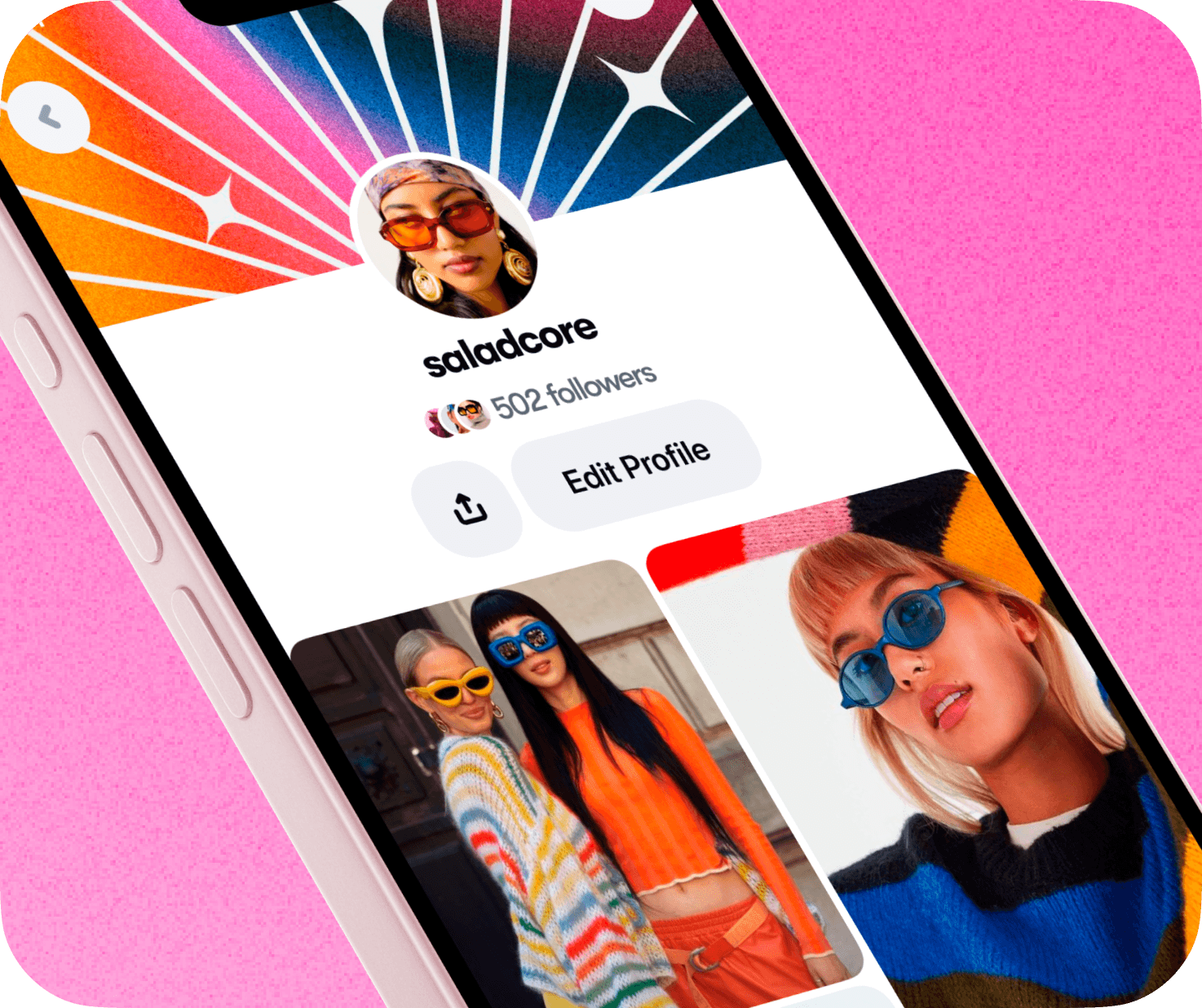
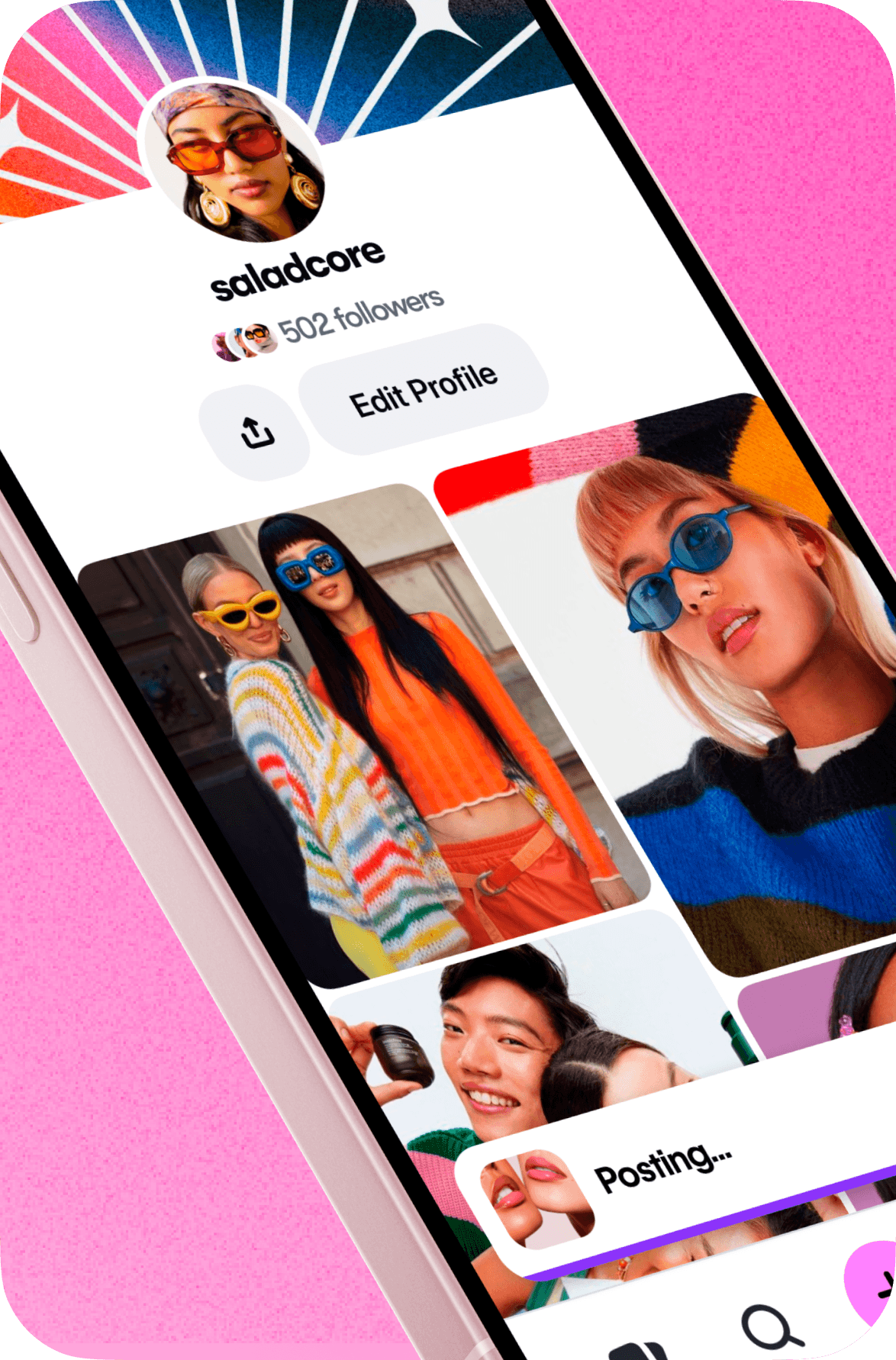
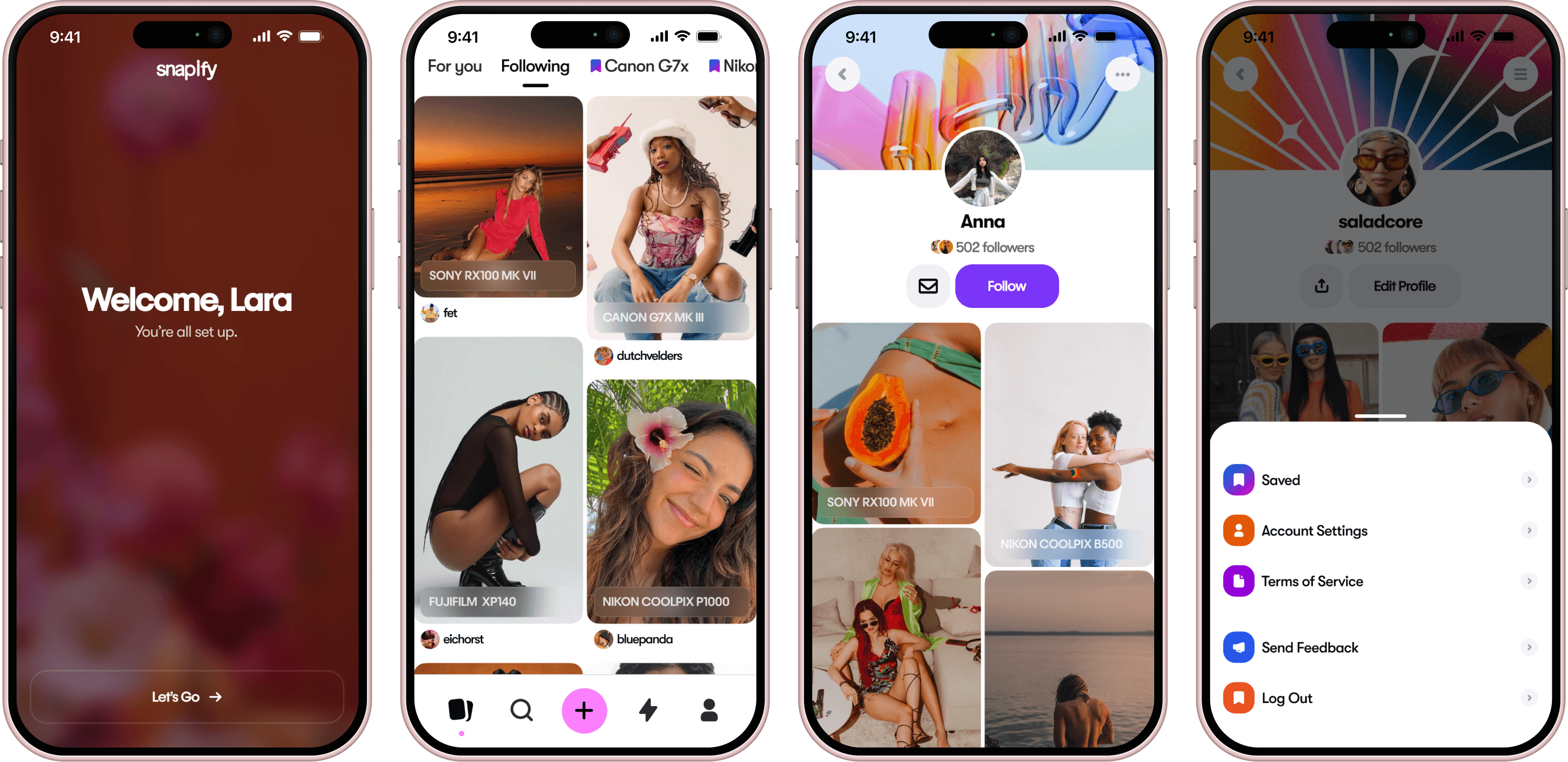
Onboarding
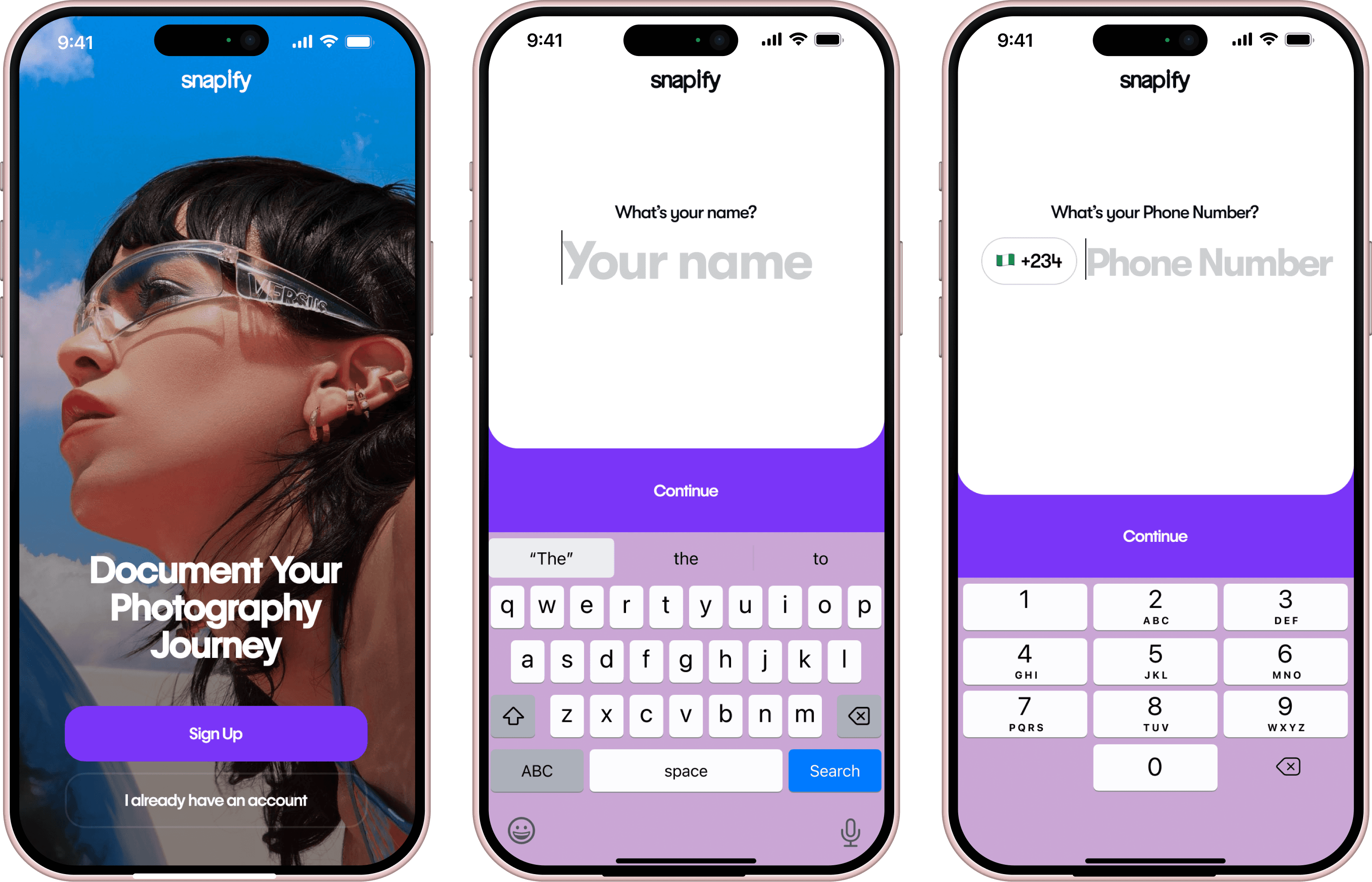
The initial onboarding screen features a high-quality image taken by an existing user, reinforcing the platform's community-driven nature.
The onboarding process itself is designed to be short and frictionless, requiring only essential information; name, phone number, and a username.
After providing these details, users are prompted to select at least five images that align with their interests. This helps us curate a personalized home feed upon login,
Home
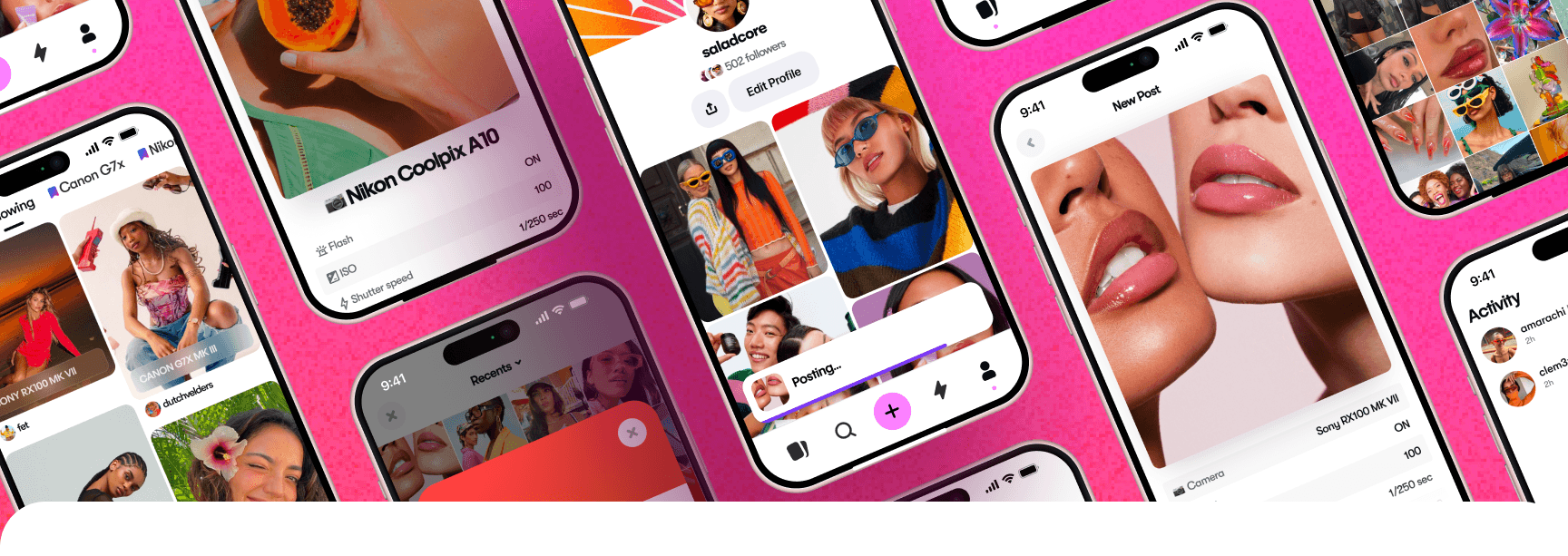
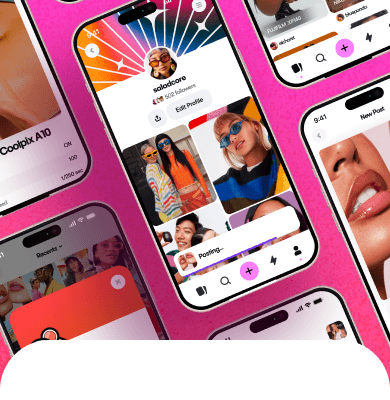
The home screen features a dynamic feed of images curated to match user interests, past interactions, and popular content, creating a personalized experience for every user. Each image is clearly tagged with the camera used right there on the feed which enhances the user experience by providing immediate important context for users.
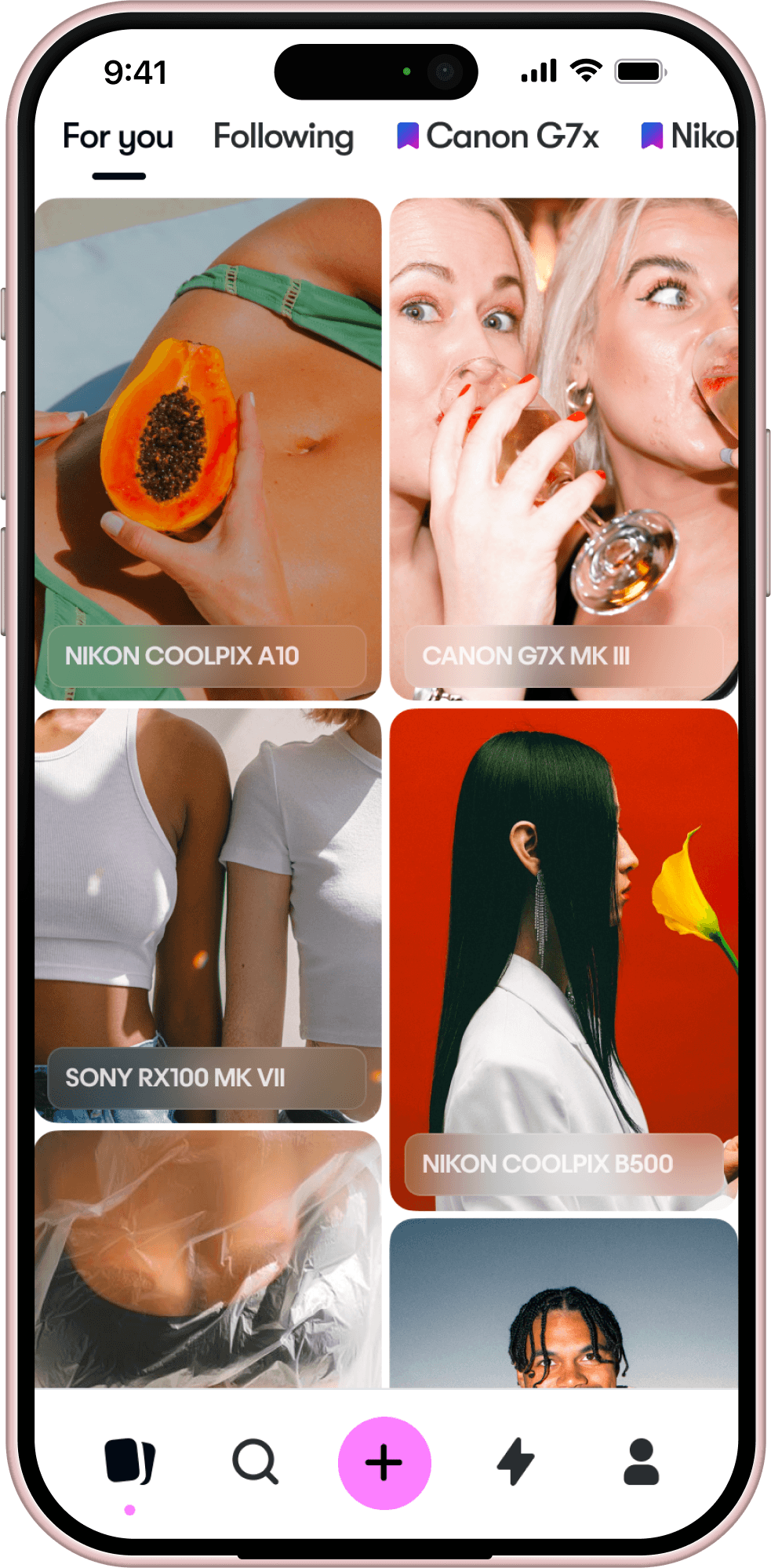
Photo Details
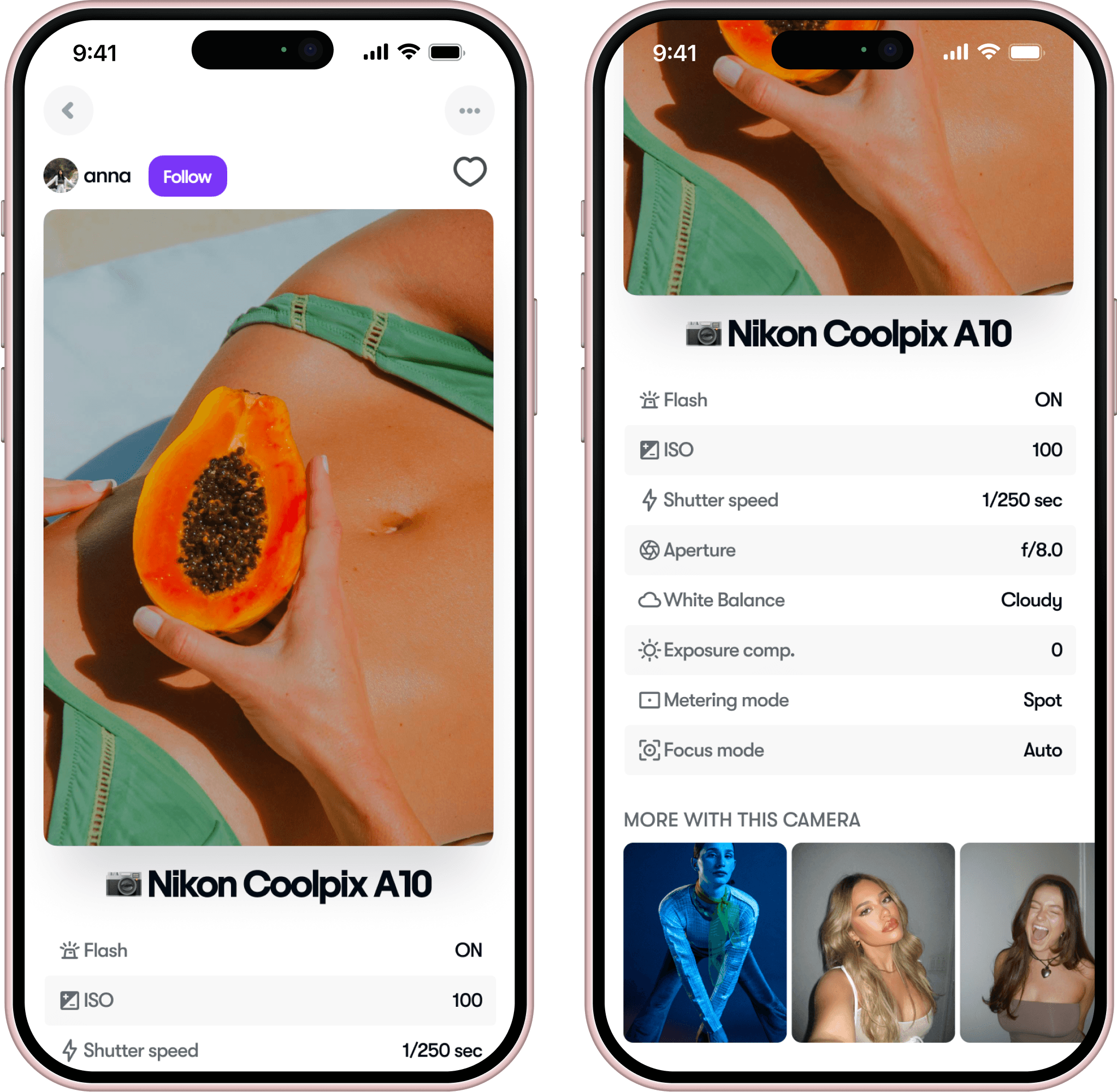
This screen provides comprehensive details about each photo. When users click to expand an image, they see detailed camera settings such as flash status, ISO, shutter speed. These settings are prominently displayed, allowing users to learn and replicate techniques.
The camera model used for the photo is clearly tagged, making it easy to identify. A curated section at the bottom showcases more photos taken with the same camera, encouraging exploration and discovery of consistent quality and style.
Search
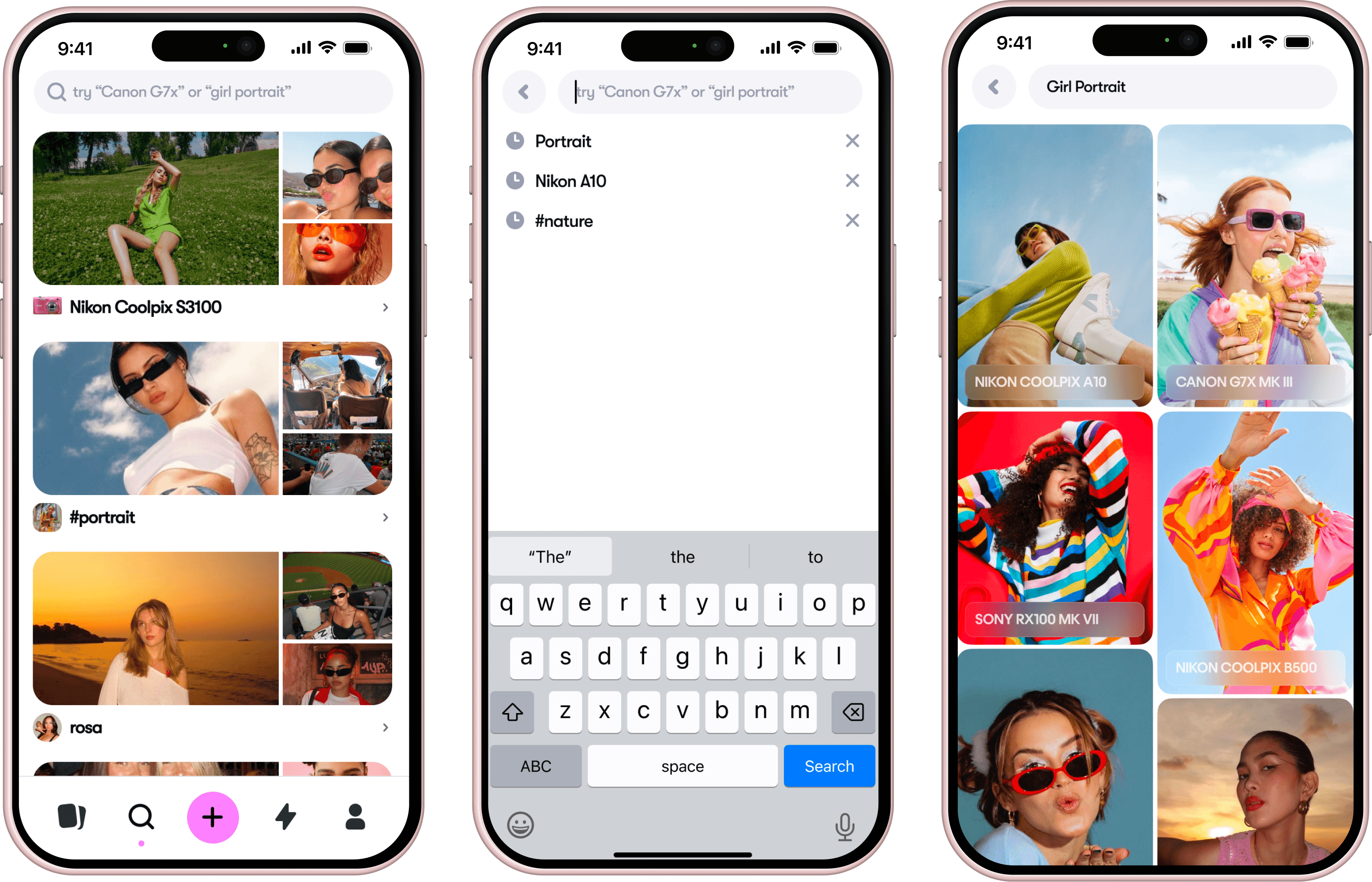
The search feature offers users a visually engaging way to discover and compare different camera outputs. Each image in the search results is tagged with the camera model used, providing relevant information at a glance.
The grid layout makes it easy to browse through multiple images at once, allowing users to quickly assess the visual quality and style of photos taken with various cameras. This helps users make informed decisions about which camera best suits their needs based on real-world examples.
Posting a Photo
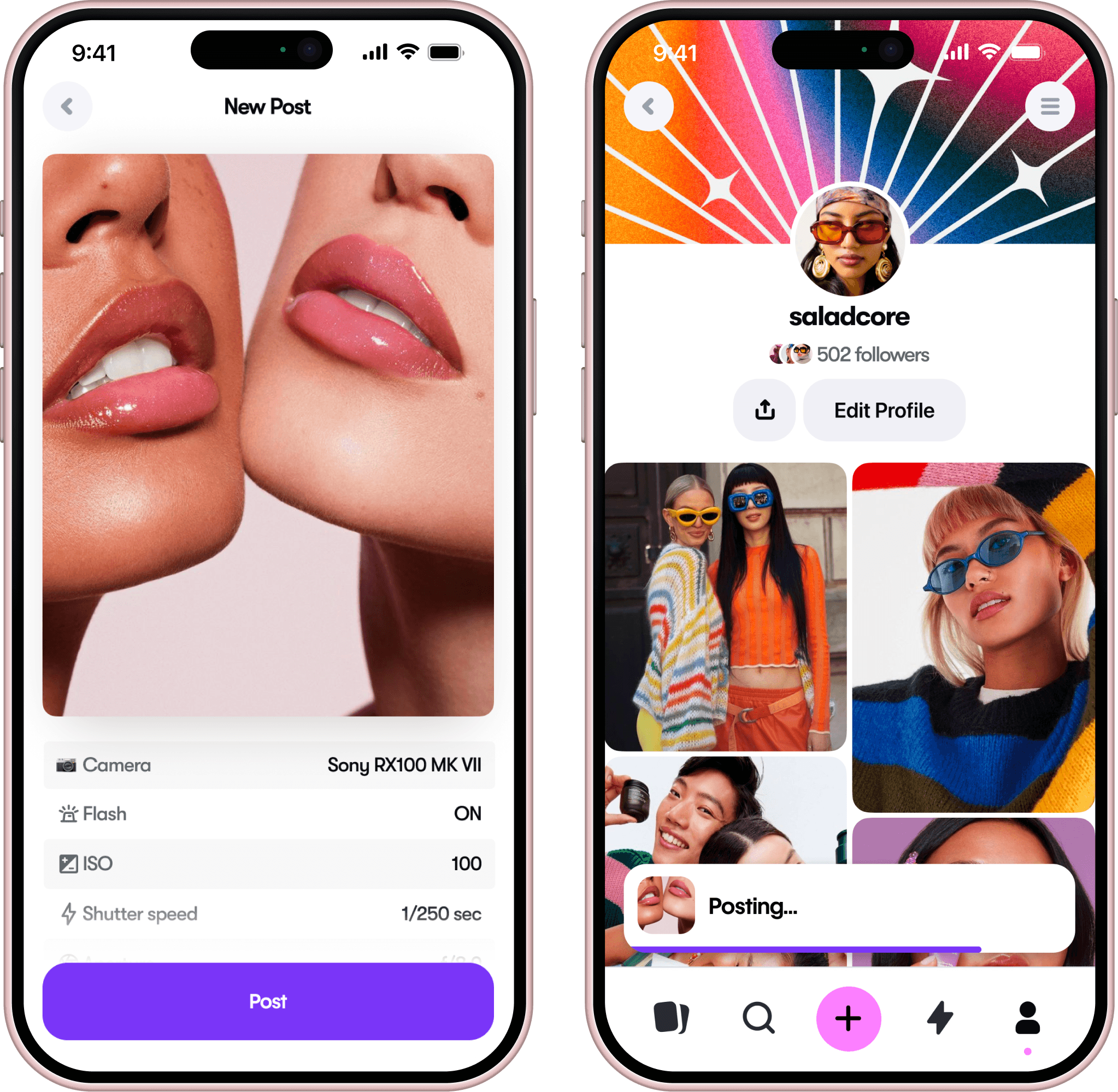
Once a user uploads a photo, the app automatically scans the image and extracts its EXIF data. This information, including camera model, flash status, ISO, shutter speed, and other settings, is then clearly displayed in a preview format. This allows users to review and confirm the details before posting the photo.
Photos without an Extractable EXIF
Some other Screens
Learnings
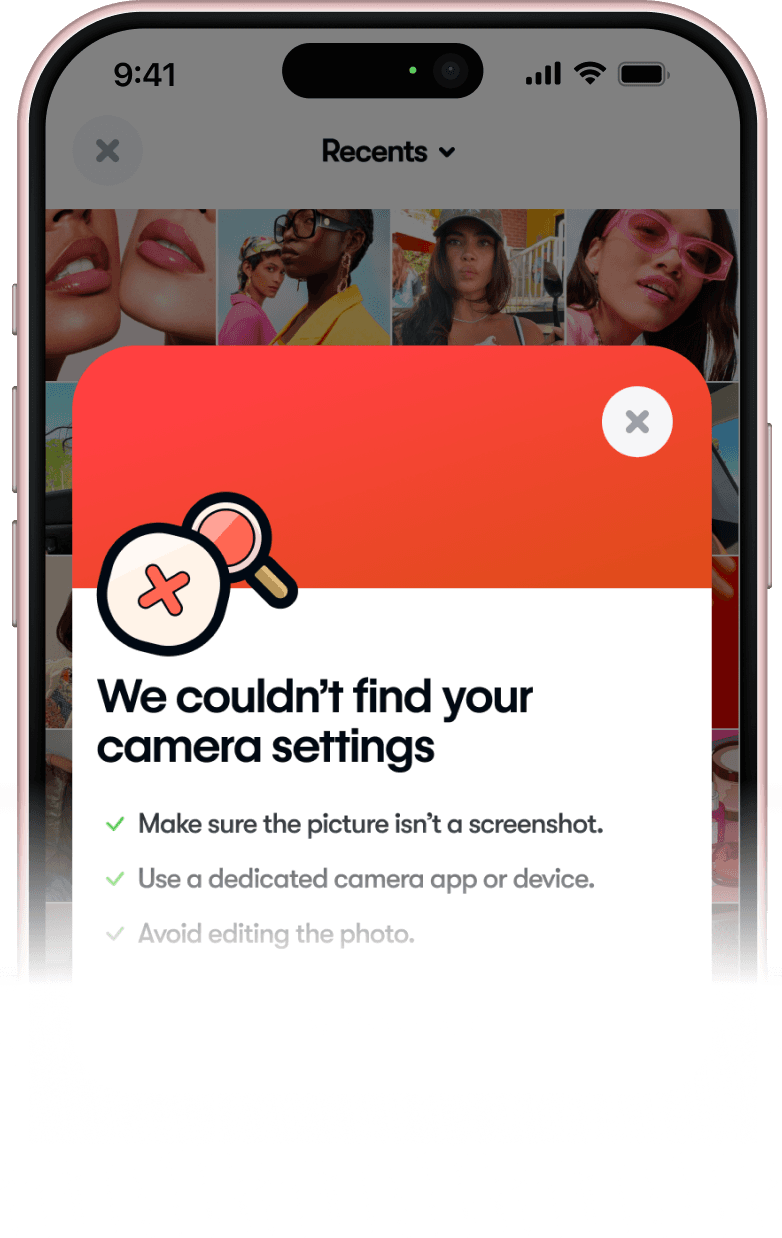
I really enjoyed working on this project because I recently got interested in digital cameras, and doing research and getting the problems I had validated through it felt satisfying. The iterative design process was crucial in refining and deciding on the app’s features; regular testing and feedback cycles helped ensure that each feature met user needs and were actually usable. For example, the feature that allows users to post photos without extractable EXIF data underwent several revisions after initial testing understandably revealed confusion among users. Balancing aesthetics with usability was a constant focus of mine, and achieving this equilibrium the best I could was both challenging and rewarding for me.